
The same source text may appear many times in a document, for example in table headings or footers. Polyframe can detect these repetitions and update them together.
Find a repetition
A repeated row has the Repeated source marker. You can also see the repeat count in the information for the selected row.
Polyframe compares source text without letter case and extra spaces. A change of one word may make it a separate text.
Edit repetitions together
- Open the project settings and find Repeat editing.
- Turn on Edit repeated segments together. This option is on by default in new projects.
- Enter or change the translation in one repeated row.
- Check the other occurrences. Polyframe adds the same Target text for the active language.
The same setting also applies when you translate with AI or insert a matching Block from memory.
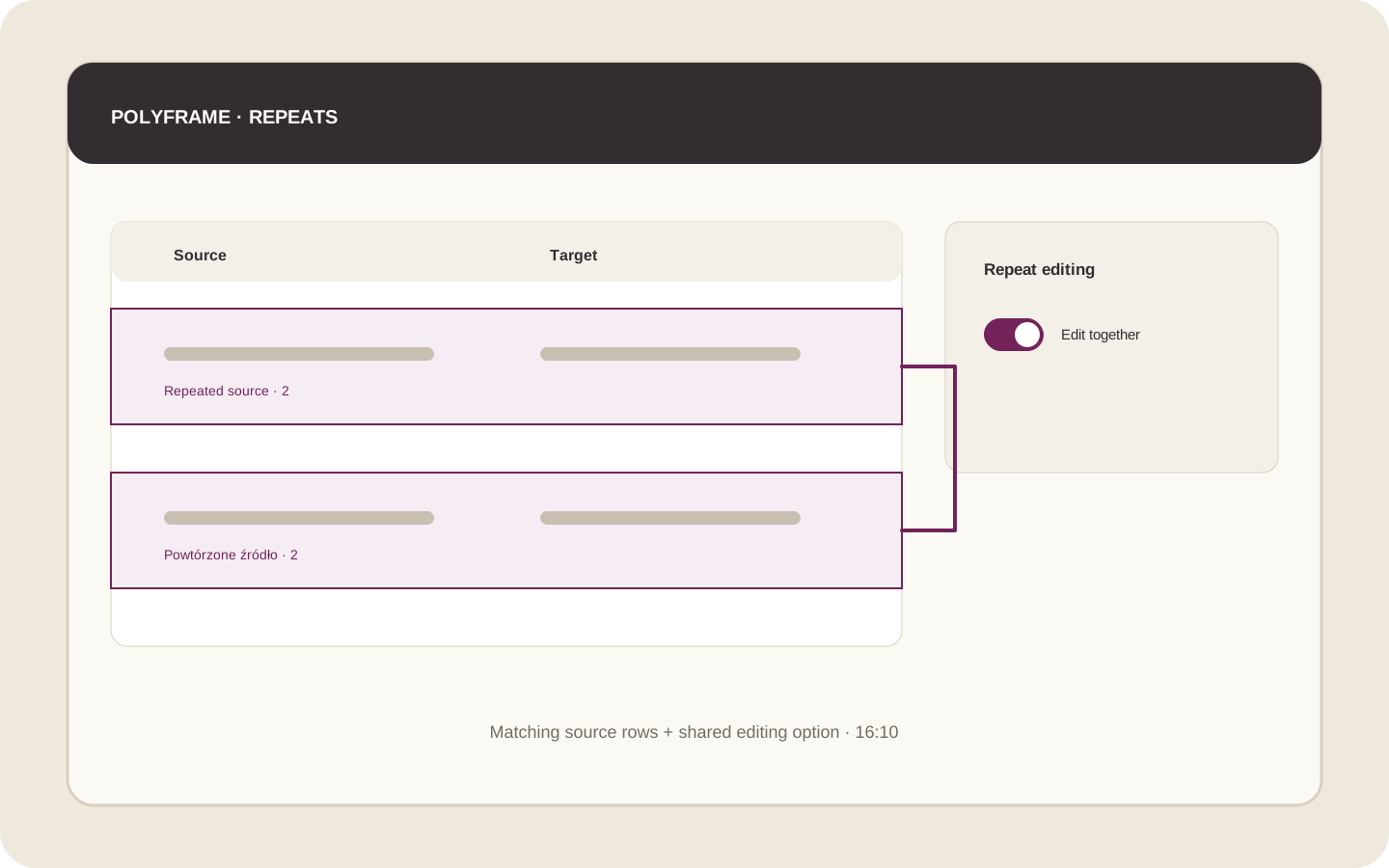 Illustration placeholder: show two rows with the same Source text, the Repeated source marker and Edit repeated segments together turned on. Crop: 16:10. Final alt text: “Editing repeated text together in Polyframe”.
The same sentence may have a different meaning in another part of the document. Turn off shared editing before the change if the translations should be different.
Next, see how to check translation length.