
A translation is often longer or shorter than its source. The Delta column shows this difference and helps you find rows that may need a shorter translation.
Read the Delta value
Polyframe compares the number of visible characters in Source and Target. Formatting tags are not counted as text. The result includes a character difference, a percentage and a status:
- ideal - Source and Target have the same length;
- good - the difference is small;
- watch - the translation is close to the set limit;
- out - the difference is outside the limit.
The default range is -10% to +10%. You can change it in Target delta by entering the minimum and maximum values.
Find text that needs attention
- Select the Delta header to sort rows by length difference.
- Check rows marked watch or out.
- Edit the text by hand. If AI is configured, you can also use Match length.
- Read the result and make sure the meaning is still correct.
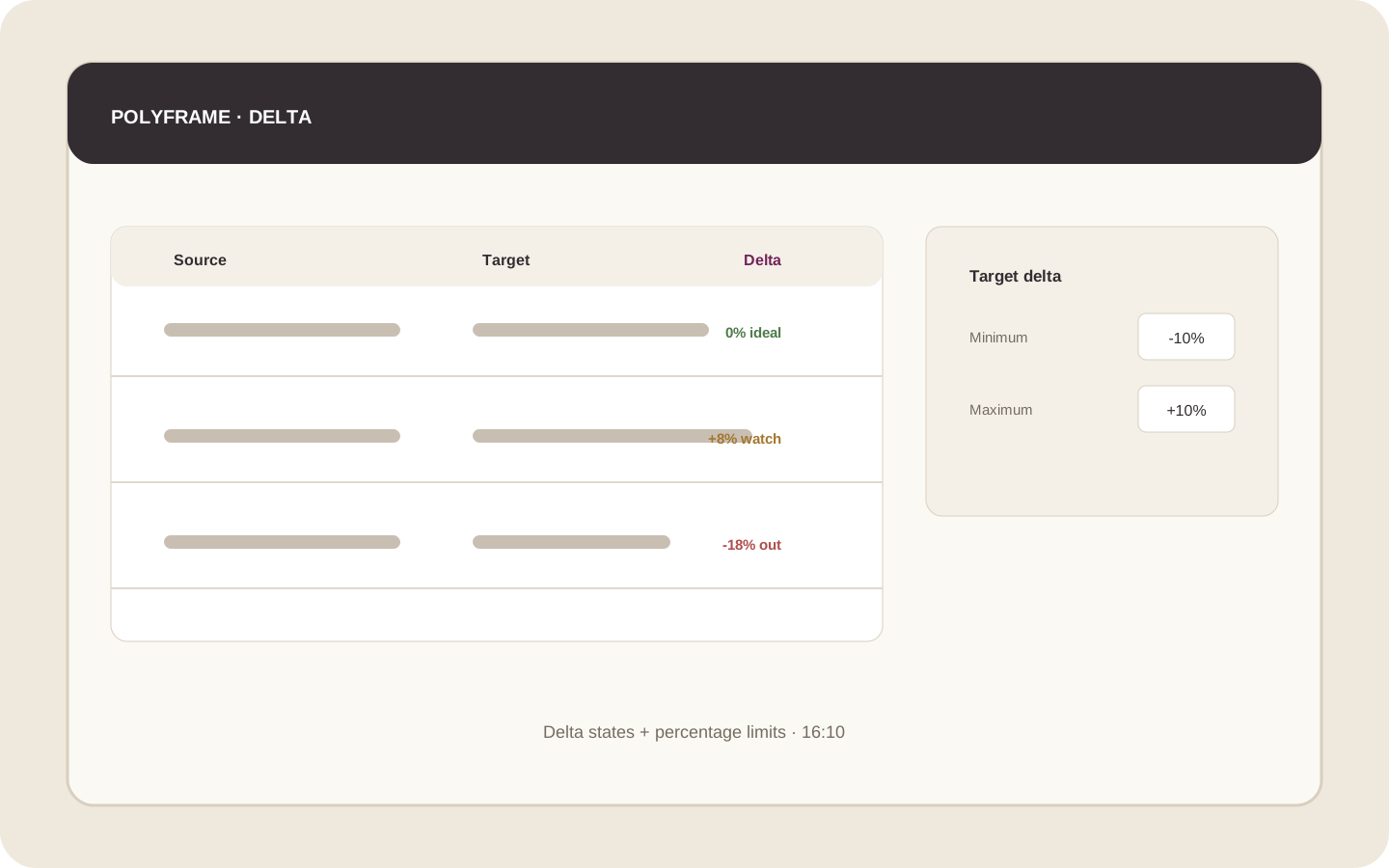 Illustration placeholder: show several Delta values in different states, plus the minimum and maximum percentage settings. Crop: 16:10. Final alt text: “Checking translation length with the Delta column”.
Delta is a signal, not a measurement of an InDesign text frame. Shorter text can also create poor line breaks. Always check the final layout in InDesign.
After the review, you can export the translated IDML.