
TSV is a simple table format with columns separated by tabs. It is useful for editing many Memory entries outside Polyframe.
Export Memory
- Open the Memory view.
- Click Export TSV.
- Save the file and open it in a spreadsheet or text editor.
The export contains type, source_text, target_text, active and note columns.
Import entries
Keep the headers and TSV format, then click Import TSV. Polyframe adds valid Blocks and Terms and reports how many entries were added, replaced or skipped.
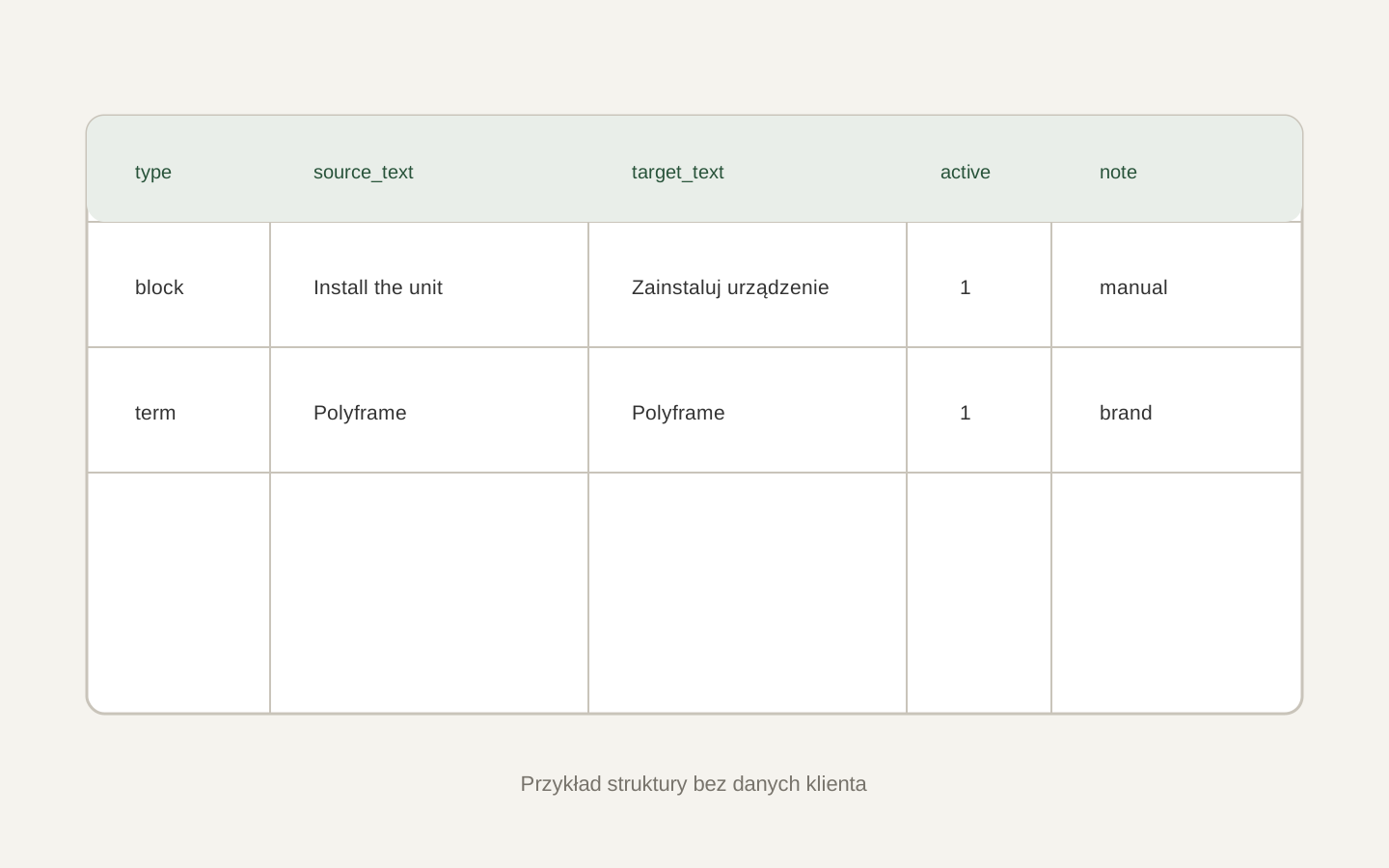 Image placeholder: show the five TSV columns with one Block and one Term, without client data. 16:10 crop. Target alt text: “Structure of a Polyframe Memory TSV file”.
Before a large import, export a copy of the current memory. Entry type must be
blockorterm.
If an import finds the same source again, see resolving memory conflicts.